Introduction
In 2026, people who shop online expect sites to load right away. Customers will leave their shopping carts, and go to a competitor if there is even a small delay. Because of this, store owners who want to stay competitive, and make money need to use Shopify Speed Optimization.
Shopify stores now have to deal with more complex performance issues, because of more third-party integrations, more competition and mobile-first indexing. The user experience, organic search visibility, and overall conversion rates are all directly affected by how long it takes for pages to load.
Finding out what makes Shopify stores slow and making the right changes can greatly increase sales, keep customers, and support long-term growth. In 2026, it's no longer a choice to focus on strategic Shopify site speed optimization; it is a must for any business.
Why Shopify Speed Optimization Matters More Than Ever in 2026
There is a direct link between how fast a website is, and how much money it makes, how visible it is and how well paid ads generally work in 2026. Today, Shopify Speed Optimization is more than just a small change that is done to the code. It's a growth driver that changes., how customers interact with stores and how search engines rank them.
Speed now impacts three major business areas:
• Conversion rates
• SEO rankings
• Advertising performance
This is largely because Google continues to strengthen its focus on user experience signals, particularly Core Web Vitals, when ranking sites. At the same time, user expectations have tightened - most shoppers expect pages to load within 2-3 seconds. As a result, when a store exceeds this threshold, users quickly become frustrated, causing engagement and conversions to drop dramatically.
Key Business, Consequences of Poor Shopify Speed
Slow Shopify performance can result in significant financial losses:
• Higher cart abandonment rates.
• Reduce Google Ads Quality Scores
• Increased Cost-per-Click (CPC).
• Reduce, organic and search rankings
• Higher bounce rates
• Poor mobile engagement, and lower session duration
Speed-degradation can undermine both organic and paid traffic performance, but fast loading stores improve user trust, enhance browsing experiences and increase likelihood of purchase. Not only do faster stores rank better, they convert more efficiently while simultaneously decreasing acquisition costs.
Understanding Core Web Vitals and Shopify Speed
Core Web Vitals are the most important part of optimizing the speed of a Shopify site in 2026. These metrics look at how real users experience things, not just how long it takes to load. Search engines use this information to see how people use your store. Improving these metrics has a direct effect on rankings, engagement and conversions.
| CORE WEB VITAL | WHAT IT MEASURES | IDEAL TARGET | COMMON SHOPIFY ISSUES | WHY IT MATTERS |
|---|---|---|---|---|
| Largest Contentful Paint (LCP) | Time for the largest visible element (hero image, banner, or featured product) to load fully | < 2.5 seconds | Large homepage images, autoplay videos, render-blocking JS, slow third-party scripts | If LCP is slow, users perceive the store as sluggish and may leave before interacting |
| Cumulative Layout Shift (CLS) | Visual stability during loading - checks if elements jump around | < 0.1 | Images without dimensions, late-loading fonts, app-injected banners/popups | High CLS frustrates users, can cause accidental clicks, reduces trust, especially on mobile |
| Interaction to Next Paint (INP) | How quickly the page responds to clicks, taps, or interactions | Fast (under 200ms) | Heavy JavaScript, multiple tracking pixels, script-heavy apps, complex animations | Slow responsiveness makes even fast-looking pages feel laggy, hurting engagement and conversions |
The Biggest Factors Slowing Down Shopify Stores Today
Host limitations rarely cause performance problems in the year 2026. The infrastructure of Shopify is already working at its best. The real problems come from choices made in the storefront.
1. Overloaded Themes
Feature-rich themes include:
• Multiple sliders
• Advanced animations
• Dynamic sections
• Heavy design elements
Even though these features look good, they make CSS and JavaScript more difficult to use.
2. Excessive App Installations
Each installed app can:
• Inject JavaScript files
• Load external APIs
• Add tracking scripts
• Increase DOM size
When there are too many apps, scripts get crowded and rendering takes longer.
3. Unoptimized Media Files
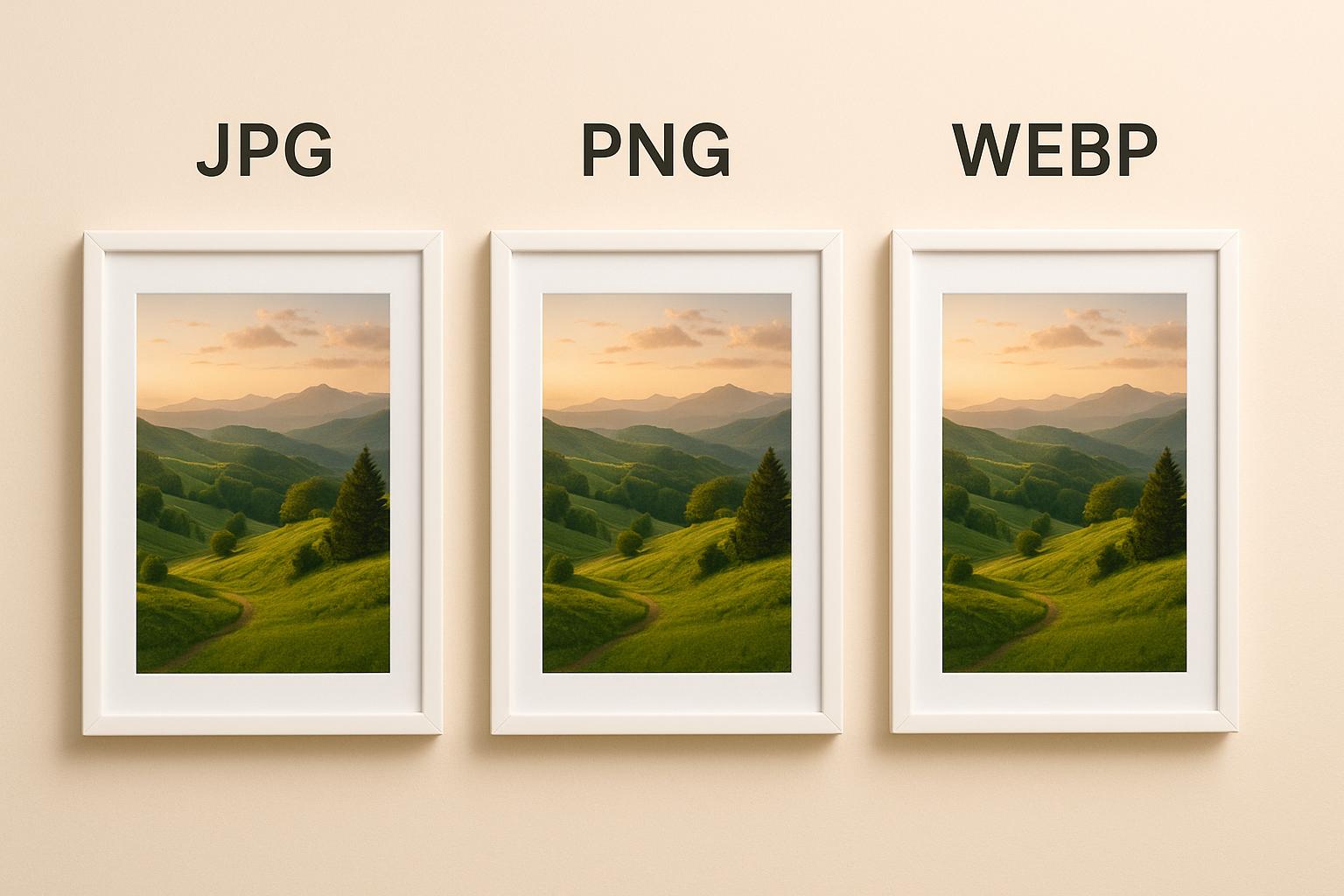
• Large images and background videos remain a top issue.
• High-resolution images uploaded without resizing
• PNG files used where JPEG or WebP is better
• No lazy loading applied
• Mismanagement of the media makes page weight go up by a huge amount.
4. Third-Party Marketing Integrations
Marketing pixels from different platforms vie for the resources of browsers. Some of these are ad trackers, analytics tools and automation platforms. With each new integration, there are more network requests.
5. Inefficient Liquid Code
If Shopify themes are coded badly by you, it can take longer for the server to process them. Time to First Byte (TTFB) is slowed down by complicated loops, database calls that are not needed and too much conditional logic.
6. Lack of Ongoing Testing
A lot of sellers optimize once, and stop keeping an eye on things. But:
• New apps change performance.
• Theme updates introduce new scripts.
• Marketing campaigns add tracking codes.
• Without regular testing, Shopify Speed gradually declines.
How Third-Party Scripts Affect Shopify Speed
One of the main reasons for delays in 2026 is external scripts.
Most third-party tools that slow down stores are:
• Chat widgets
• Heatmap tracking tools
• Popup builders
• Review apps
• Marketing automation tools
• Social proof notifications
These scripts come from outside servers, which slows down rendering, and makes Time to Interactive longer. A slow-loading third-party script can make the whole page take an extra one to two seconds to load.
What Speed Has to Do with 2026 SEO Rankings
In 2026, search engines will use website performance as a big part of how they rank and evaluate websites. Shopify SEO Services help ensure that your store is optimized for these changes. Google is giving more weight to real user experience data, which means that speed has a direct effect on how well an organic search result does.
Crawl Efficiency
Search engines give every website a certain amount of money to crawl. If a Shopify store takes a long time to load:
• Crawlers only look at a few pages before leaving.
• Some important product pages might take longer to index.
• It takes longer for updates, and new items, to show up in search results.
• When websites load faster, search engine bots can efficiently crawl more pages, which makes indexing and visibility better overall.
User Engagement Signals
Google evaluates behavioral signals such as:
• Click-through rate (CTR)
• Time spent on page
• How people click, scroll and move around in your store, is called interaction behavior.
Users get frustrated when pages take a long time to load, which makes them less likely to engage. Search engines can tell that the content is good, if people interact with it more and stay longer.
Bounce Rate
The speed of a page has a big effect on the bounce rate. People are less likely to stay in a store if it takes more than three seconds to load. Search engines see high bounce rates as a sign that users aren't happy with the site.
Session Duration
Fast websites encourage users to browse:
• More products
• More categories
• More informational pages
A longer session duration means that the content is relevant and useful. When websites are slow, users leave the experience early, which shortens the session.
Mobile Ranking Priority
Google indexing starts with mobile devices. This means that your Shopify store ranking is based on its mobile version.
Poor mobile speed can make it harder to see, even if desktop performance is good.

Understanding Mobile Optimization Challenges in 2026
Most of Shopify's traffic in 2026 came from phones. But a lot of stores still have trouble with mobile, because they were designed with desktops in mind first. Because mobile devices have smaller screens, less processing power and internet connections that don't always work, speed optimization is even more important.
Here are the main problems with mobile devices, broken down in a more useful and thorough way:
Oversized Hero Banners on Mobile
• A lot of stores post big desktop hero images (2000px or more) and show the same file on mobile.
• Mobile devices download the whole picture, even if it looks small on the screen.
• This makes the pages heavier and slows down the Largest Contentful Paint (LCP).
• People have to wait longer to see the main content.
Why it's important: The first picture a customer sees should load right away. If it doesn't, they might leave before looking around.
Autoplay Background Videos
• Autoplay videos look great, but they're heavy.
• Videos need a lot more space than pictures do.
• While they play, they constantly use bandwidth.
• They slow down page rendering on mobile networks that aren't very fast.
Why it's important: When it comes to mobile, simple designs work better than complex ones. Videos in the background often slow things down more than they speed them up.
Heavy Sticky Headers and Animated Menus
• Sticky headers stay visible, even when you scroll, and JavaScript is used for animated menus.
• To keep these features up to date, extra scripts must run all the time.
• Desktop computers can handle JavaScript faster than mobile devices.
• This can make scrolling less responsive and smooth.
Why it matters: Features that are supposed to make things easier to use can slow things down, if they are used too much.
Multiple Popups and Overlays
Many Shopify stores have more than one tool to help with conversion:
• Offer pop-ups
• Email signup forms
• Offers for exit-intent
• An announcement bar
• All of these add extra scripts to the page and may run after the page loads.
Why it matters: Multiple popups increase JavaScript execution time and create layout shifts, harming both user experience and Core Web Vitals.

Complex Product Filtering Systems
A lot of the time, collection pages have dynamic filtering options like:
• Price changes
• Swatches of color
• Choosers for sizes
• Tools for sorting
• These features need extra scripts and updates that happen in real time.
Why it's important: Processing power is needed for every interaction between filters. This can cause delays that can be seen on mobile devices.
Unoptimized Image Delivery for Mobile
If you don't have responsive image settings:
• Downloading large desktop-sized product images is what mobile users do.
• You can still have high-resolution files, in thumbnails.
• If there is no lazy loading, all images load at once.
Why it's important: Most of the time, images take up most of the page size. Poor optimization makes loading times much longer.
Excessive Chat Widgets and Social Proof Tools
In the background, live chat, sales alerts, and review popups are always running
• They ask outside servers for things.
• They are updated often.
• They make it take longer for JavaScript to run.
Why it's important: Too many real-time tools slow down Shopify Speed on mobile a lot, but they are useful for conversions.
Slow Touch Responsiveness
When mobile users tap buttons, they expect to get feedback right away.
• Heavy JavaScript slows down the tap response.
• Multi-layered animations slow down interaction.
• Pages that are too full make them less responsive.
Why it's important: It seems like a website is loading slowly even if the pages load quickly.
Overloaded Product Pages
On modern product pages, you'll often find:
• Go over the sections
• Frequently Asked Questions about accordions
• Product sliders that are suggested
• Offer pop-ups
• Several app integrations
• Each extra section makes the page bigger and uses more script.
Why it's important: It takes longer for both the page to load and the elements to interact when there are more of them.
Network Variability and Real-World Conditions
• Not all people who use their phones have fast internet.
• Many browse on 4G connections that go up and down.
• Wi-Fi networks in public places are often not stable.
• Data-saving modes might make things run slower.
Why it's important: It's possible for a store that loads quickly on fast Wi-Fi to not work well in real life. When optimizing, normal network environments must be taken into account.
How to Audit Your Shopify Speed Properly
Instead of relying on a single score, auditing performance needs structured testing.
Start With Core Web Vitals
Look at these things with tools like Google PageSpeed Insights:
• The largest amount of paint
• Getting to know Next Paint (INP)
• Changes to the layout over time (CLS)
• Most traffic comes from mobile devices first, so mobile results should come first.
Analyze Page Weight and Requests
This is what a good Shopify store should try to do:
• Less than 2MB for the whole page
• Not as many HTTP requests
• Few external domains that load resources
• A big page size usually means that the media or scripts are too big.
Review App Impact
Turn off any apps that aren't necessary for now, and see how the speed changes. This helps find places where performance is slowing down. A lot of apps add CSS and JavaScript to the storefront, even when the features aren't being used much.
Test Real Devices
• Simulated results are not the same as performance in the real world. Test: on several smartphones
• When connecting via 4G or slower
• At public Wi-Fi spots
• This gives a more accurate picture of how Shopify Speed works.
Monitor Trends Monthly
• Speed optimization is always going on.
• Keep track of performance scores, for every month.
• After updating the theme, test again.
• Check again, after adding new apps.
• Over time, small changes can add up and make performance worse.
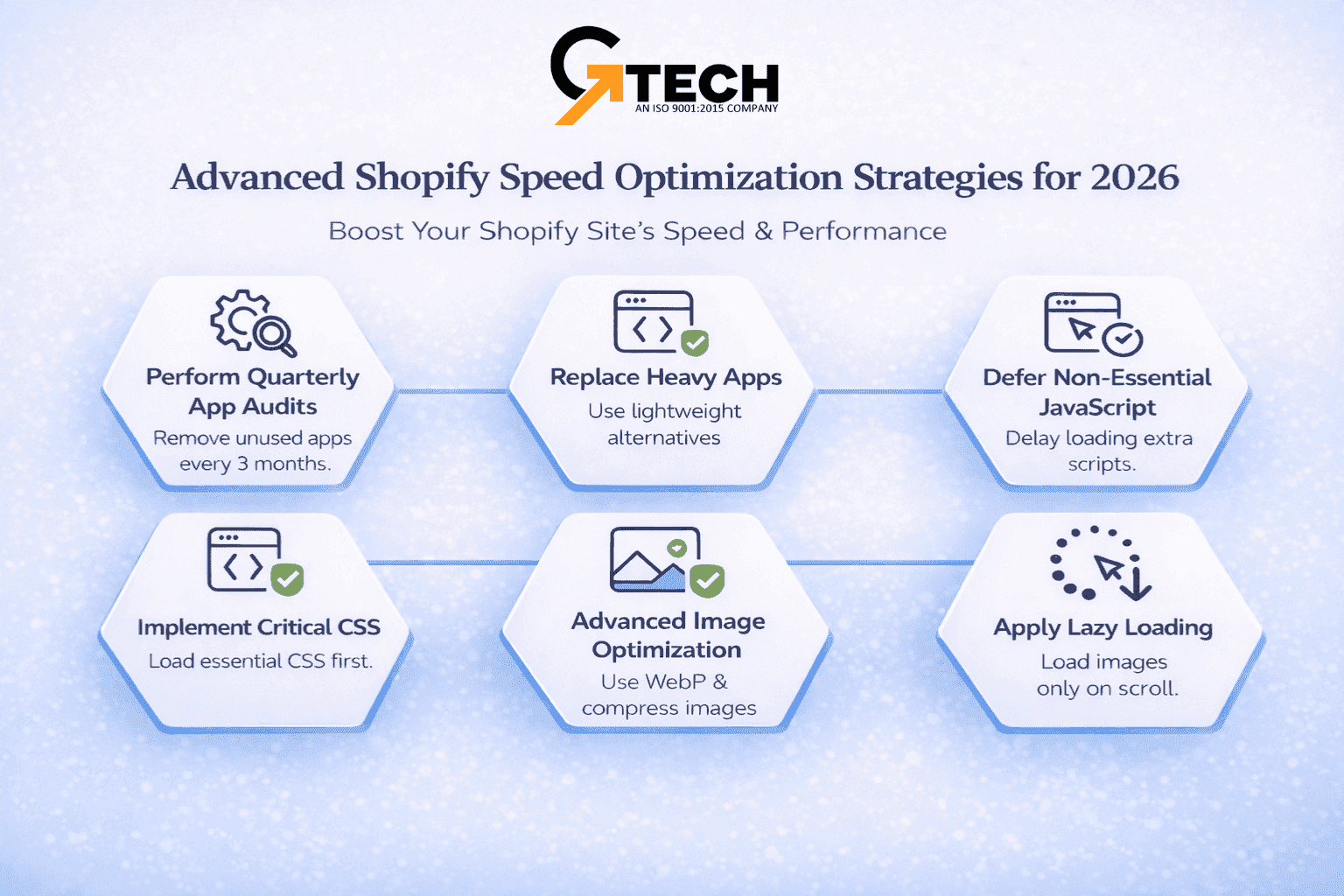
Advanced Shopify Speed Optimization Strategies for 2026
Boost Your Shopify Site’s Speed & Performance
• Perform Quarterly App Audits: Every three months, go through your apps and get rid of the ones you do not use.
• Replace Heavy Apps:Instead of heavy apps that slow down your store, use tools that aren't too heavy.
• Defer Non-Essential JavaScript:Put important content first and wait to load any extra JavaScript files.
• Implement Critical CSS Loading:Load the necessary CSS, first to make the first rendering go faster.
• Enable Advanced Image Optimization:Use new formats like WebP and shrink your images.
• Apply Full Lazy Loading:Picture and video files should only load as people scroll down your site.

• Optimize Font Loading Behavior: Do not load too many fonts; only load the ones that you need.
• Reduce Homepage Complexity: Make sure that your homepage is clean, simple and focused on performance.
• Minimize Third-Party Tracking Scripts: Do not slow down your site using more tracking tools than you need.
• Continuously Monitor Core Web Vitals: Check your store's speed metrics often to keep it quick, and easy for people to use.
Future Trends in Shopify Speed for 2026 and Beyond
• AI-Based Optimization Tools:These tools use AI to automatically get rid of code that isn't being used, find apps that are using a lot of resources, and suggest ways to make the system run faster.
• Edge Computing Improvements:More stores are using global edge networks to send content faster based on where the user is located.
• Minimalist Theme Designs:Brands are moving toward themes that focus on performance and have clean layouts, fewer scripts, and lighter page structures.
• Built-In Shopify Performance Features:Shopify is always making its built-in speed features better, so, you do not need to use third party optimization apps. Automation, lightweight design, and built-in efficiency are what Shopify Speed will be about in the future.
Why Choose Gtechwebindia for Shopify Speed Optimization
Gtechwebindia not only speeds up your Shopify store, but they also make sure that the whole thing runs smoothly. We improve performance by getting rid of apps that aren't needed, cleaning up code that isn't being used, compressing images and making Core Web Vitals better, so that pages load faster and the user experience is better. We also take care of managing your whole Shopify store, whether you have 100 items or 1 lakh items.
From entering accurate product data to managing large catalogs, our team makes sure that everything is done quickly, correctly and reliably with our Shopify Product Upload Services. From this mix of methods, your store will stay quick, well organized and ready to grow in 2026 and beyond.
In addition to speed optimization, we provide complete Shopify store management solutions. Whether your store has 100 products or over 1 lakh items, our team efficiently handles everything-from accurate product data entry to large catalog management-with precision and reliability.
With a strategic combination of performance optimization and store management expertise, we ensure your Shopify store remains fast, well-structured, and ready to scale in 2026 and beyond.
Our Shopify services extend across the USA, UK, Australia, Singapore, New Zealand, UAE, India, Italy, Germany, and many other regions. Partner with Gtechwebindia today and experience remarkable growth in customer engagement, brand recognition, and overall business performance.
Final Thoughts
In 2026, Shopify speed is directly linked to customer trust, growth and visibility. Speed optimization isn't just a one-time fix for technical issues; it is now a long-term strategy that can help with rankings, user experience and sales. Teams with a lot of experience, like Gtechwebindia, focus on making stores that are fast, scalable, and built to last.
In the years to come, brands that put speed first will stay competitive, make customers happier and have more success with eCommerce.
FAQs
1.What is Shopify Speed Optimization?
It involves making changes to a Shopify store's performance metrics, loading time and user experience, in order to improve rankings and sales.
2.Why is Shopify site speed optimization considered as important in 2026?
Because search engines and users prefer stores that load quickly, which has a direct effect on sales and traffic.
3.Do apps slow down Shopify Speed?
Yes, especially apps with a lot of scripts that load outside resources and stop rendering.
4.Does Shopify hosting affect speed?
The hosting for Shopify is optimized; themes, apps, and media are what slow things down the most.
5.How often should Shopify Speed be audited?
Performance should be checked once a month or whenever new apps or changes to the design are made.
6.Can image optimization improve Shopify Speed?
Yes, optimized images do make pages smaller and faster to load.
7.Is Shopify Speed Optimization a one-time fix?
No, it needs to be constantly checked on and updated.
8.Does faster speed increase conversions?
Yes, faster stores do make customers more interested, build trust, and make more sales overall.

